
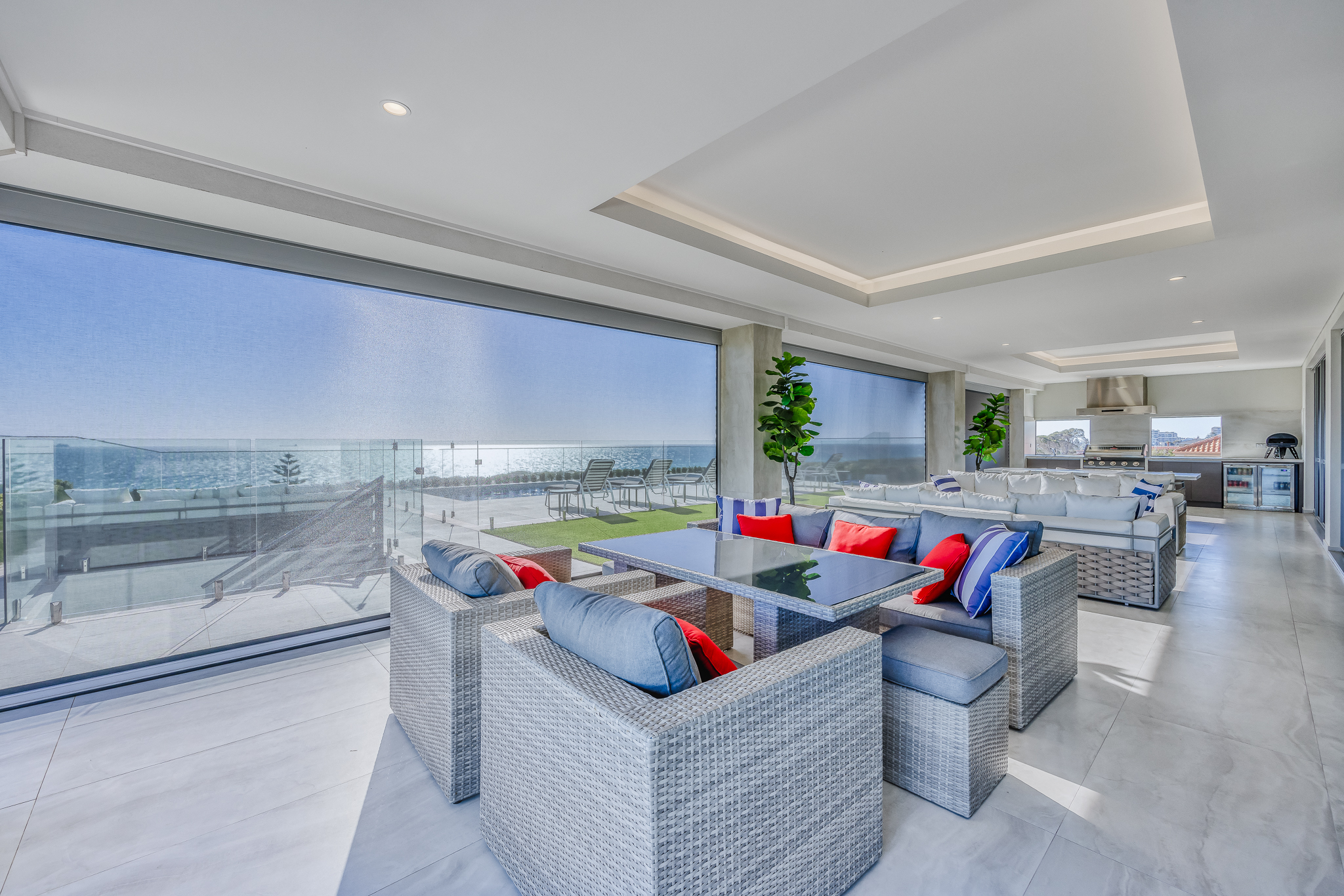
Want to make your Perth home more comfortable, secure, and energy‑smart? Smart residential shutters blend contemporary design with advanced automation, giving you effortless privacy, noise control, and energy savings at the tap of a button. Beyond convenience, they can help stabilise indoor climates, reduce energy use, and instantly lift your property’s curb appeal.
Discover the quiet comfort of our specialist noise reduction roller shutters, engineered to minimise street sounds and keep your Perth home peaceful. For added privacy, especially in bedrooms, smart shutters offer complete darkness and control with just your voice or a tap—ideal for quality sleep or day naps.
Looking to explore more innovative and secure window solutions? Browse our full range of residential roller shutters Perth designed for comfort, safety, and effortless living across every room and lifestyle.
Table of Contents
- What Are Smart Residential Shutters?
- Key Benefits of Smart Residential Shutters
- How Do Smart Residential Shutters Work?
- How to Choose the Right Smart Shutters
- Professional Installation Process
- Costs, Payback & ROI
- Maintaining Your Smart Shutters
- Safety, Compliance & Childproofing
- Programming Automations & Real-World Perth Scenarios
- Smart Shutters vs Standard Shutters
- Troubleshooting & Support
- People Also Ask
- FAQ: Smart Residential Shutters (Schema Ready)
- Glossary & Technical Definitions
What Are Smart Residential Shutters?
Smart residential shutters are motorised, connected window solutions that put you in control—whether you’re relaxing in the lounge, working remotely, or on holiday. With just your phone, tablet, or voice assistant, you can manage privacy, sunlight, temperature, and security across your home or set them on a schedule to run automatically.
Key Benefits of Smart Residential Shutters
1. Energy Efficiency
Smart shutters act as high-performance window insulation. By closing at the right time, they block summer heat and prevent winter warmth from escaping—helping you cut heating and cooling bills by up to 30% (according to leading research). Automations can be set for sunrise/sunset or room temperature, ensuring year-round comfort and savings across the home, from bedrooms to open-plan living spaces.
2. Security & Privacy
By programming your shutters to open and close on a schedule—or triggering them randomly when you’re away—you can create the appearance of an occupied home. Enhanced locking mechanisms, motorised profiles, and privacy settings lower the risk of break-ins or prying eyes.
3. Aesthetics & Street Appeal
Custom colours, sleek powder-coated finishes, and modern profiles give your property a polished look—while boosting value and kerb appeal. Shutters can be matched to both contemporary and classic Perth facades, with coastal-grade options available for harsh environments.
- For heritage homes—choose subtle matching hues
- For modern builds—opt for bold or minimalist aluminium finishes
4. Noise Reduction & Comfort
Noise-attenuating slats and insulated tracks act as a sound barrier against traffic and neighbourhood commotion. Choose specialist noise reduction roller shutters for maximum peace—ideal for Perth homes on busy streets, or those seeking a restful environment in bedrooms or nurseries.
5. Weather & Sun Protection
Protect your windows and interiors from intense UV, storms, and windborne debris. Smart automation allows shutters to lower during heatwaves or storms, safeguarding your home (and lowering the risk of sun-faded soft furnishings).
How Do Smart Residential Shutters Work?
Smart shutters use quiet, durable motors and integrate into your home Wi‑Fi, smart hub, or proprietary RF controls. Here’s what you can expect:
- App and Voice Control: Use your phone or smart speaker to operate individual or groups of shutters, set routines, or check status remotely.
- Schedules & Scenes: Automate open/close based on time, temperature, sunlight (sunrise/sunset), or presence (geofencing).
- Sensors & Weather Response: Optional temperature, wind, and sunlight sensors can trigger shutters for optimum efficiency and comfort.
- Integration: Many systems connect with leading platforms (Google Home, Apple Home, Matter), enabling full-house scenes and energy-saving automation.
- Power Options: Choose from hard-wired, battery, or solar motors. Select the best fit for your specific home layout and Perth’s sunny conditions.
How to Choose the Right Smart Shutters
Power & Motor Options
| Type | Best For | Pros | Considerations |
|---|---|---|---|
| Hard‑wired | New builds, renovations | Continuous power, robust, never needs recharging | Requires electrical work and planning, higher install cost |
| Battery | Retrofits, upper-storey windows | Quick install, wireless, portable, ideal for apartments | Needs recharging (about once a year) or batteries replaced |
| Solar | North/east aspects, eco-friendly needs | Low running cost, green energy, great for Perth’s sunny days | Panel must get sun for full charge, not ideal for shaded aspects |
Control Methods & Integration
| Control | When to Use | Benefits | Things to Note |
|---|---|---|---|
| App Control | Everyday and remote management | Schedules, scenes, customisation, status checks | Check Wi-Fi quality for best reliability |
| Voice Assistant | Hands-free, accessible for all ages | Quick, convenient group or room control | Compatibility varies by platform—check before purchase |
| RF Remote/Wall Switch | Guest mode, local control, backup | Works even if internet is down | Pair with app for full feature set |
| Sensors & Automations | Maximising energy/comfort convenience | React to Perth’s sun, wind, temperature changes | Needs initial setup and fine-tuning for seasons |
Materials, Slat & Finish Choices
- Aluminium Slats: Premium durability, thermal and acoustic insulation.
- Insulated Profiles: For optimal temperature control and sound reduction.
- Custom Colours: Matching any style, from heritage to ultra-modern; ask about powder-coated and coastal grades.
Room-by-Room Clusters & Tips
- Bedrooms: Go for almost blackout fabrics and silent motors. Bedroom roller shutters are ideal for uninterrupted sleep.
- Living/Home Theatre: Program scenes that reduce glare, lower at dusk for movie time, and rise for morning sun.
- Street-Facing Windows: Boost security and schedule for privacy during high-traffic hours.
- Home Office: Use automations to minimise screen glare and adjust for afternoon heat.
Professional Installation Process
- Measurement: Specialist measures each window for a tidy fit and smooth movement.
- Product Selection: Choose slat material, colour, motor, and smart integration to suit your needs.
- Power & Connectivity Prep: Plan mains cabling in new builds, verify battery/solar options, confirm strong Wi‑Fi or hub signals.
- Physical Fit: Installer secures tracks, motors, pelmets, and ensures robust anchoring to your structure.
- Integration & Testing: Pair devices with your chosen app, test automations, and run safety checks for peace of mind.
Costs, Payback & ROI
Expect to pay from AUD 300–1,500 per window depending on material, motor, size, and control features. Extra-wide openings, premium finishes, and advanced automation systems can increase investment.
Typical Pricing Factors
- Window span and number
- Hard-wired vs battery vs solar motors
- Profile thickness, insulation properties, colour
- Smart hubs, sensors, app features
- Location: upper storeys/coastal homes may need special fitting
Estimating Your Payback
- Track your annual heating/cooling spend.
- Estimate the reduction from improved shading/insulation—often 20-30% savings.
- Add value from noise reduction, security, and property appeal, which may increase resale value.
Maintaining Your Smart Shutters
- Clean curtain, tracks, and guides regularly. Remove dust, sand, and debris—especially after storms.
- Wipe with a soft cloth and mild detergent for best appearance. Avoid abrasives or strong chemicals.
- If battery or solar, check/recharge batteries and keep solar panels clear.
- Update firmware through the app for smoother, safer operation.
- Annual service: check fixings, settings, and test safety stops to ensure reliable long-term function.
Safety, Compliance & Childproofing
- Obstacle Detectors: Motors stop or reverse if blocked—preventing damage or injury.
- Manual Overrides: In emergencies, discuss how to open shutters or garages manually.
- No Loose Cords: Motorised, cord-free operation removes traditional strangulation risks for children and pets.
- Electrical Compliance: Always use licensed electricians for mains installations—it’s Australian law.
Programming Automations & Real-World Perth Scenarios
Perth Automation Scheduling Examples
- Heatwave Mode: Shutters drop on east windows at sunrise and on west at midday. Open at dusk for natural ventilation.
- Winter Warmth: Open north-facing shutters during sunlit hours, then close at dusk to trap in heat.
- Away/Airbnb: Stagger open/close movements to mimic a lived-in home—boosting security and peace of mind for owners and guests.
Step-by-Step Guide: Sunrise/Sunset Automation
- Open your shutter’s app. Go to Automations.
- Select the “Sunrise/Sunset” schedule, then pick which rooms to automate.
- Add any extra conditions (e.g. run only on weekdays, or if it’s over 30°C).
- Save and test. Fine-tune by adding a delay (e.g. 15 minutes before sunrise or sunset for optimal comfort).
Smart Shutters vs Standard Shutters
| Feature | Smart Roller Shutters | Manual Shutters |
|---|---|---|
| Control Type | App, schedule, voice, remote automatically | Manual crank or strap |
| Automation | Yes—scenes, routines, sensors | No |
| Remote Access | Yes—off-site via app | No—must be home |
| Energy Efficiency | Higher—optimised schedules | Depends on manual operation |
| Security Features | Automated, integrated with alarms/lights | Manual, less dynamic |
| Initial Cost | Higher | Lower |
Troubleshooting & Support
- Shutter not responding: Check power, batteries or solar panels. Confirm app and Wi-Fi are connected.
- Stops mid-travel: Clear tracks and guides, ensure nothing’s blocking movement, and check limit settings in the app.
- App won’t connect: Restart your hub/router, confirm you’re on the same network, or try a local wall control.
- Noisy operation: Clean and lubricate tracks—book a service if noise persists.
People Also Ask
- What are the main advantages of remote shutters over manual blinds?
Remote shutters enable energy-saving scheduling, app/voice control, enhanced privacy, and stronger security routines—a big upgrade from manual-only shutter systems.
- Can smart shutters be retrofitted in existing Perth homes?
Yes! Battery and solar-powered options are available, making retrofits fast, with little-to-no electrical work needed.
- Do I need a central smart hub?
Some brands connect via Wi-Fi, others require a hub for reliable whole-house or multi-room control. Ask your installer what’s best for your setup.
- How do shutters help save on energy in Perth?
By blocking summer heat and trapping winter warmth via scheduled automation, smart shutters can cut energy bills by up to 30% in Perth’s variable climate.
FAQ: Smart Residential Shutters (Schema Ready)
1. How much do smart residential shutters cost?
Pricing typically runs from AUD 300–1,500 per window, with bigger or high-tech units, luxury slat profiles, and full-home automation adding to the investment.
2. Can I control my smart shutters remotely?
Yes. Nearly all systems allow secure remote access, so you can adjust, check, or schedule via the app—even when traveling.
3. Are smart shutters compatible with my existing smart home?
Many brands work with Apple, Google, or Matter. Always double-check platform support and whether you’ll need bridges or hubs.
4. Can I DIY install smart shutters?
DIY is practical for certain battery or retrofit models; however, for large windows or hard-wired options (especially those integrated into mains power), professional installation is strongly recommended.
5. What regular maintenance do smart shutters need?
Just keep tracks and guides clear, clean surfaces as needed, check/charge batteries, and update software via the app. An annual service ensures ongoing reliability and safety.
Glossary & Technical Definitions
- Matter: A universal smart-home standard making devices from different brands seamlessly interoperable.
- Limit Settings: Programmed stop points for motorised shutters, ensuring precise travel and protection from overrunning.
- Smart Scene: A grouped automation controlling multiple devices (e.g. “Movie Time” closes shutters and dims lights).
- Thermal Bridging: The unwanted flow of heat through building elements—shutters reduce this effect significantly.
- Occupancy Simulation: Scheduled routines giving the illusion your home is occupied for better security.
- Pelmet: A cover above the window hiding the shutter roll—improves insulation and appearance.
- Geofencing: Location-based automation turning devices on/off when you leave/arrive.